Everything KondensMe does
for your research and your meetings
More than a summary: a brief you can act on.
A lead with the essentials, sections that put the reasoning in order with illustrations and diagrams, research from the web on what the video leaves out, steps to act on it, the key points, an action plan, questions to test yourself and links to go further.
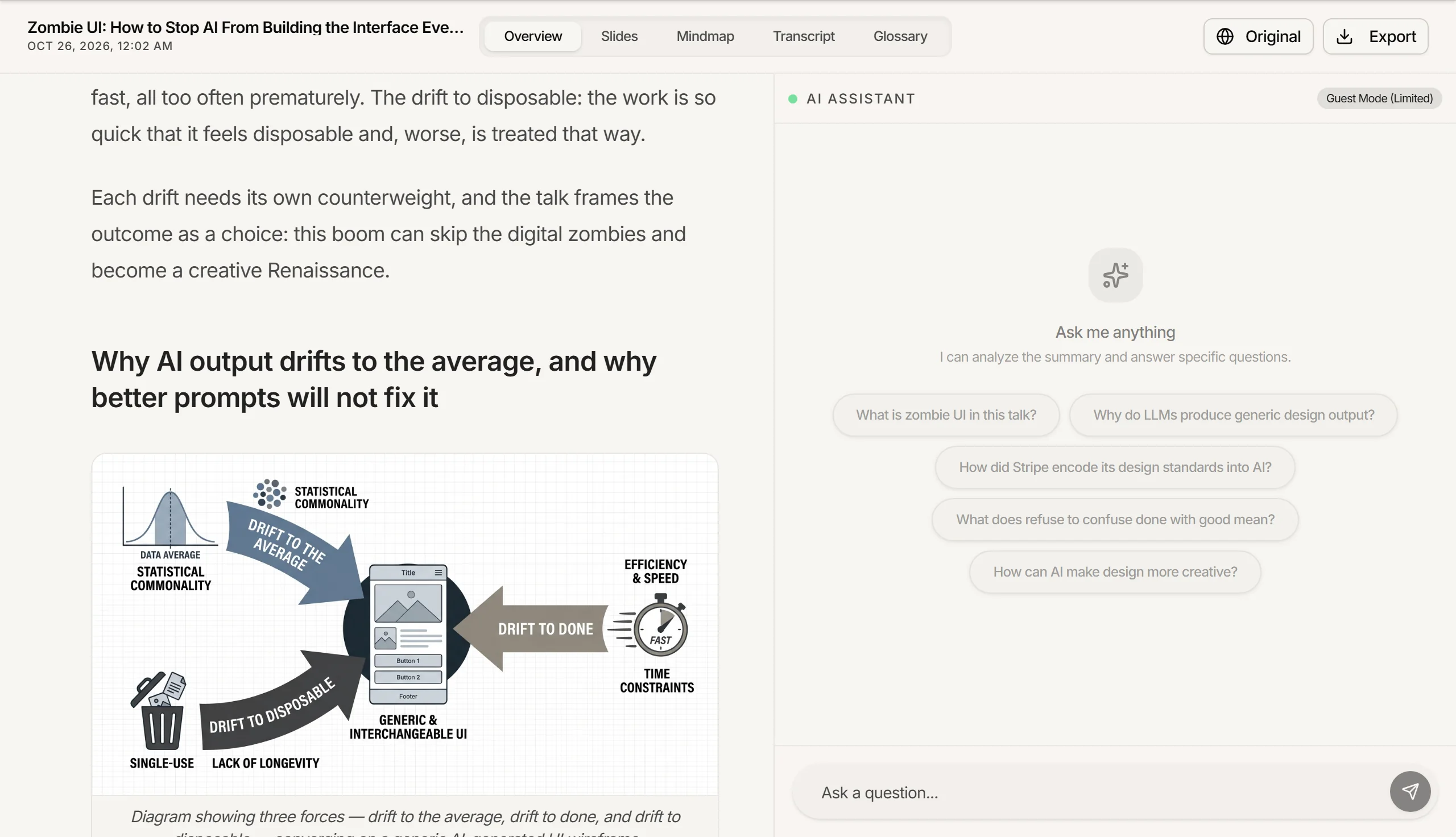
The big picture, and every detail.
An interactive mind map of the ideas, with the actions and quotes linked to each one. Zoom, move around, open any branch. Export it in HD, vertically or horizontally.

From the analysis to a slide deck.
Slides with a cover, the key points, diagrams and the takeaways. Export them as editable PPTX for PowerPoint or Google Slides, or as PDF, in a dark or light theme.

Ask anything, answered from the whole video.
The assistant reads the whole transcript and the analysis. Ask for a follow-up, a clarification or a detail mentioned in passing.

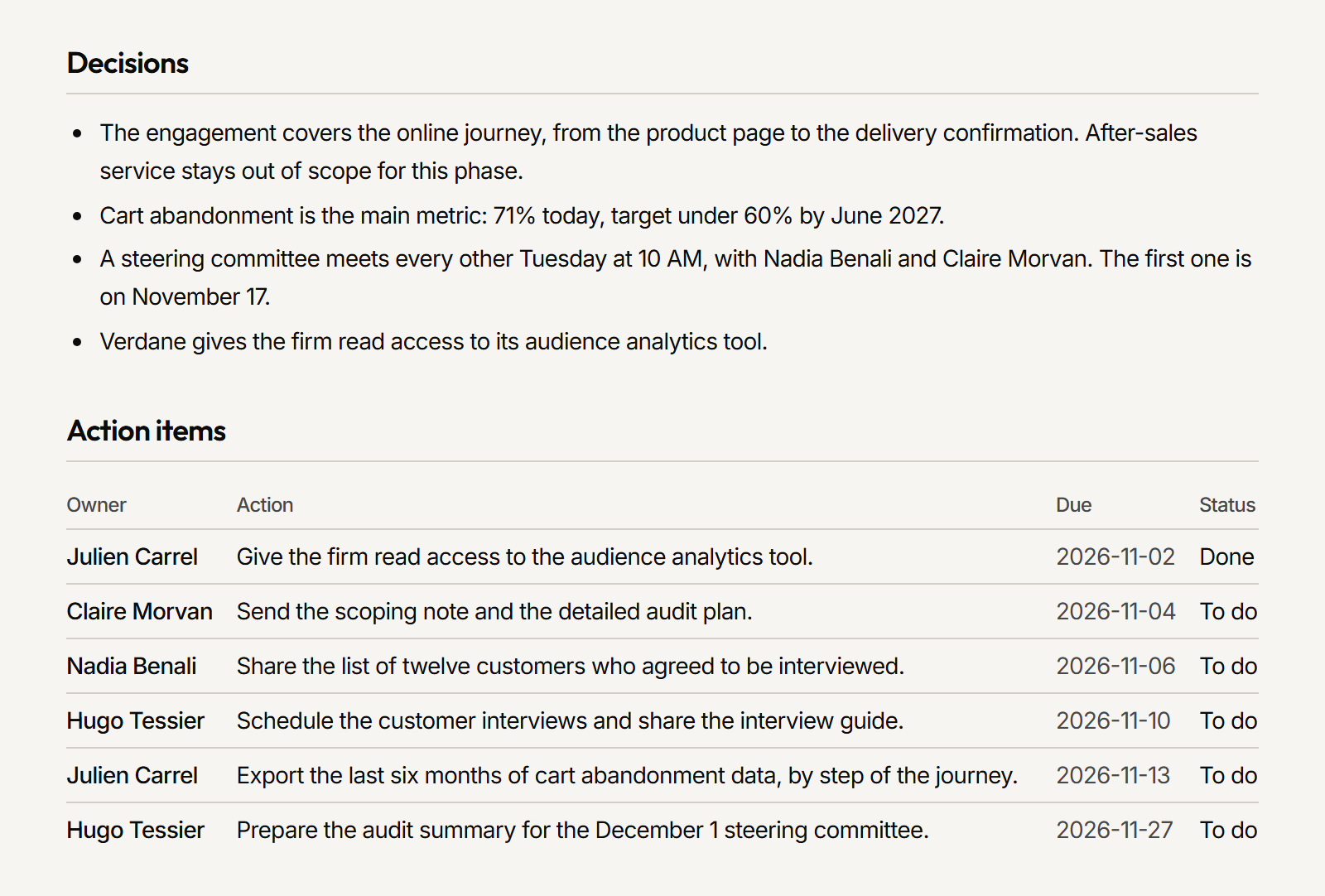
Minutes ready to send after a quick read.
After each Google Meet or Teams call: the summary, the decisions, the actions with an owner and a due date, the open questions and a follow-up e-mail. Edit anything, rename the speakers, then send it in Word, in PDF or as a share link.
Everything in one place
Research, meetings and exports, in one account.
For your research
Expert briefs
A YouTube video becomes a brief that goes beyond it: researched on the web, with diagrams, an action plan and links to go further. Documents get a structured summary.
Interactive mindmaps
See how the ideas connect. Open and close the branches to go from the big picture to the detail.
Presentation slides
Turn an analysis into a slide deck with diagrams, key points and speaker notes. Export it as PPTX or PDF.
Timestamped transcripts
The full text of every word spoken, with timestamps. Click one to jump to that moment in the video, and search the text like any document.
Chat with the content
Ask about any part of the content. The AI has the whole transcript and summary, so it can clarify a point or find a detail mentioned in passing.
Edit with the AI
A section is off? Switch the chat to Edit mode and ask the AI to fix a name, an error or a passage.
Glossary
Technical terms, acronyms and key concepts, found and defined for you. Useful when the subject is new to you.
AI illustrations
Images generated for the key sections of an analysis, so a long text is easier to read.
Exports
Export an analysis as a PDF report, an HTML file, Markdown, an X article or slides.
More than 30 languages
Analyze a video in its own language and translate the summary into more than 30 languages. A talk in Japanese, a summary in English.
Channel and podcast subscriptions
Follow a YouTube channel or a podcast feed. KondensMe analyzes each new episode for you.
Videos, audio and documents
YouTube videos, audio (MP3, M4A, WAV) and video files (MP4, MOV, MKV, AVI) up to 5 GB, PDF and Word documents. Paste a link or drop a file.
For your meetings
Client meeting minutes
The kondens Notetaker bot joins your Google Meet and Microsoft Teams calls, announces itself and records. Then you get the minutes: decisions, actions with an owner and a due date, open questions and a follow-up e-mail, in Word, PDF or a share link. Every action is tracked until it is done.
Video excerpts
Pick a passage of the transcript or a chapter: KondensMe cuts it into a video of up to 10 minutes, to download or to share by a link you can turn off.
Decision log
Every decision of your meetings on one page, grouped by meeting. Search a word, keep the last 30 or 90 days, and find what was agreed without opening each set of minutes.
Prep brief
Before a meeting, KondensMe finds your past meetings with the same people or on the same subject, what they decided and left open, and writes a short brief that cites them.
Your kinds of meeting
Sales, customer success, project, recruiting, leadership: each kind adds its own sections to the minutes. Create your own kinds too, with the sections your work needs.
Sent where you work
As soon as the notes are ready, they go to a Slack or Microsoft Teams channel, to Notion or to a signed webhook (Zapier, Make, n8n). Your AI assistant reads them through the MCP server.
Why KondensMe Over the Rest?
Most tools give you a transcript or a paragraph. KondensMe gives you briefs you can act on and minutes you can send.
Under the hood